Docus

A collaboration powerhouse
inside your Microsoft® 365 workspace

Write in Markdown with live preview. Embed Word, Excel, PowerPoint, Visio, PDF and even email inline. Draw diagrams, leave comments, collect approvals, ask Copilot. Every document stays an ordinary file in your SharePoint library.
Opens inside SharePoint Added as a web part, expandable to full screen — one workspace per site Opens inside Microsoft Teams Added as a tab in any channel — one workspace per team
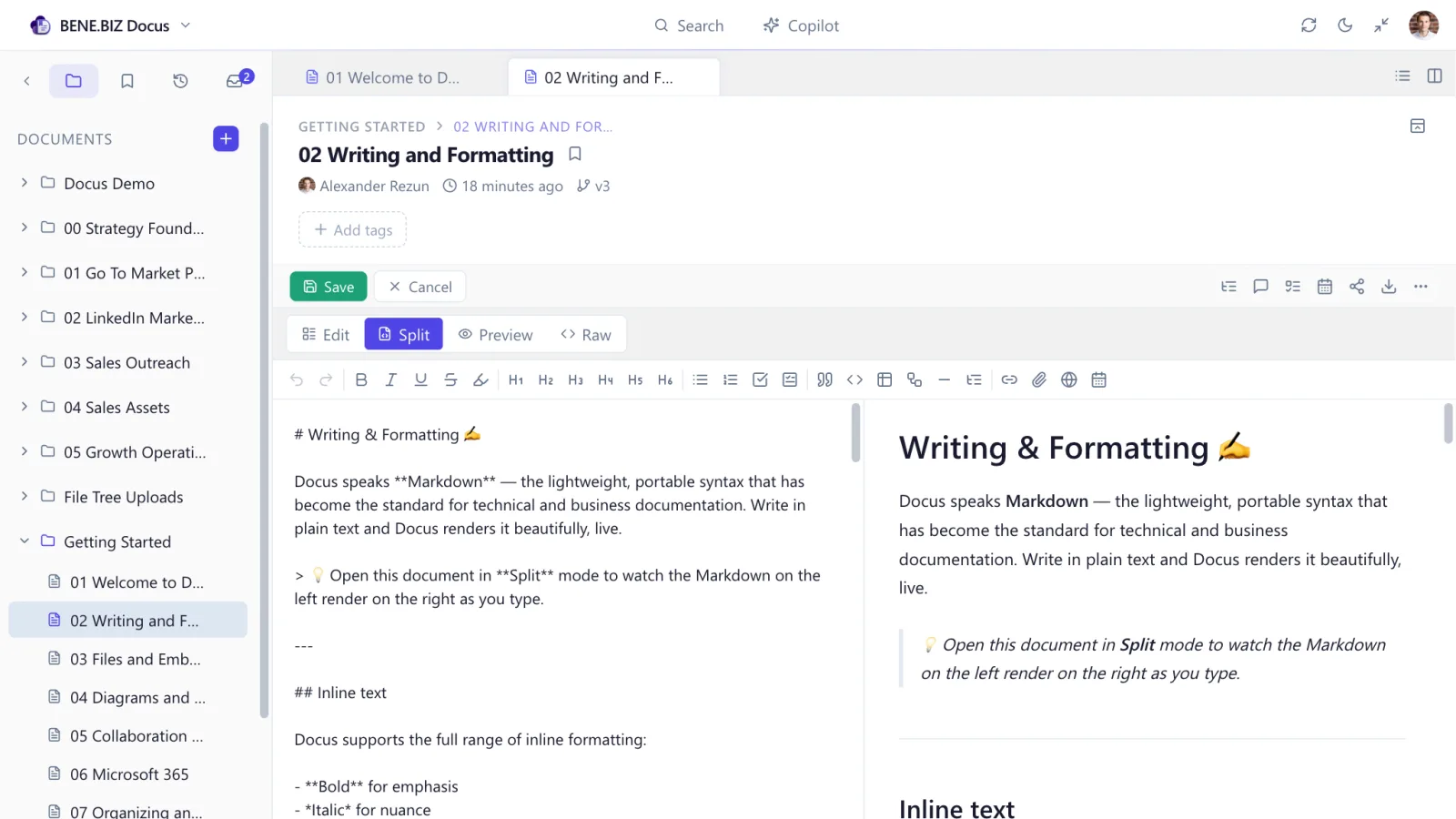
The Docus editor in split mode: Markdown source on the left, the rendered page updating on the right
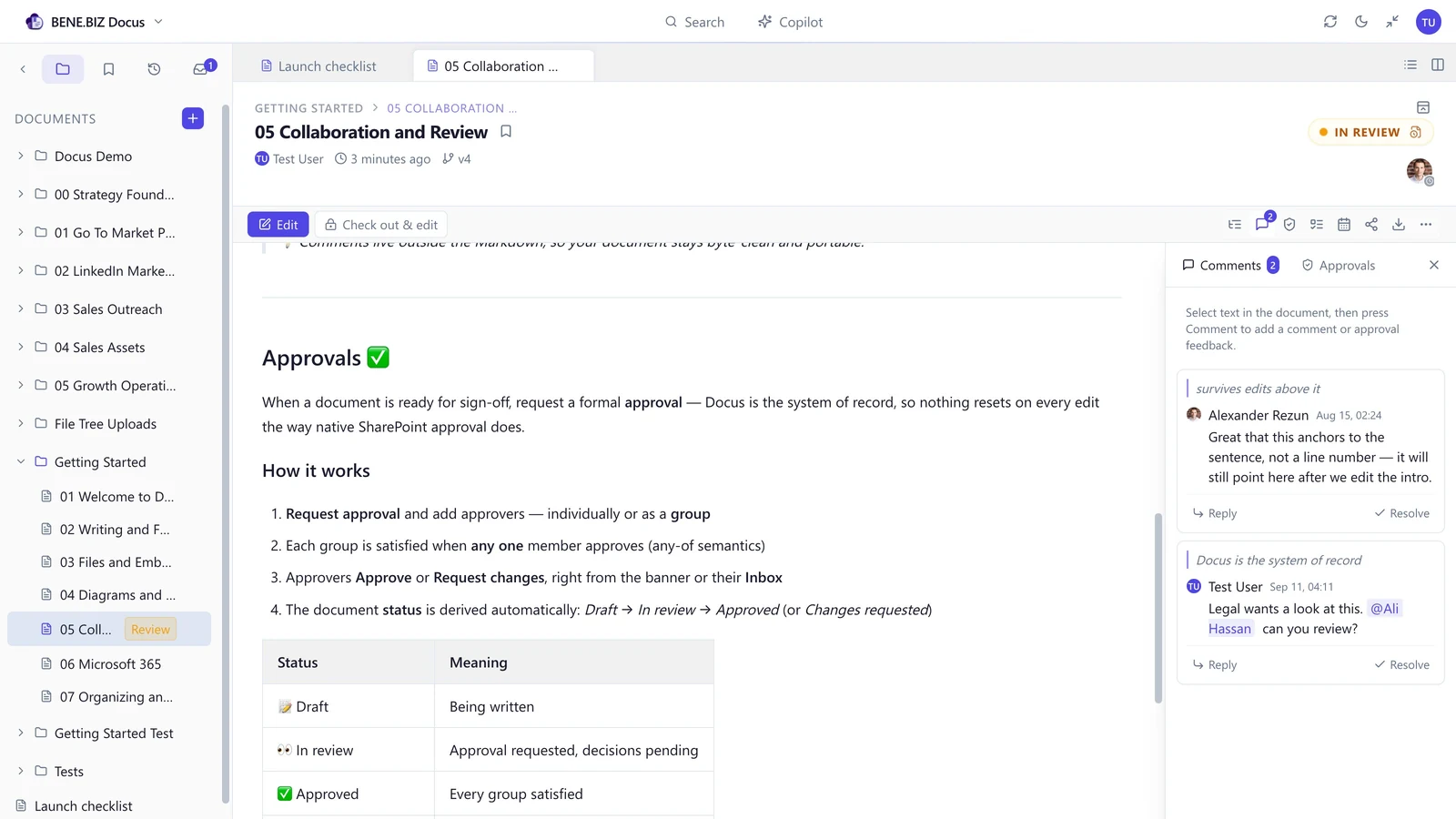
A Docus page under review, with a line-anchored comment thread open in the side panel
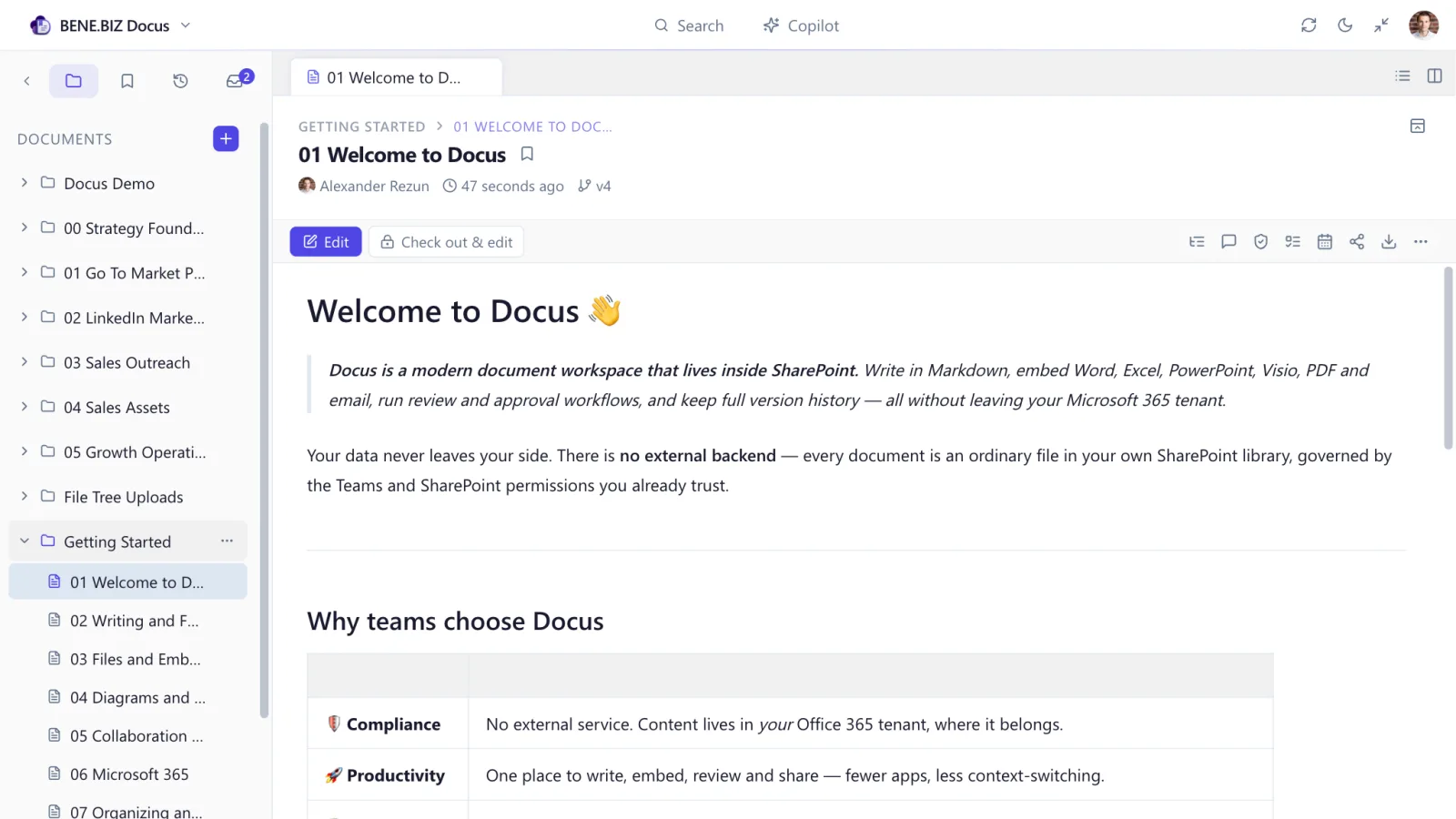
Docus running full-page inside SharePoint, showing the folder tree, open document tabs and a rendered Markdown page
Available soon on Microsoft® Marketplace
No data leaves your Microsoft 365 Entra ID sign-on EU vendor
0 external services holding your content
1 access model — the one you already govern
10 interface languages, light and dark
workspaces — deploy to any team or site
Features

Everything the work actually needs

Docus adds the editor, the collaboration and the review loop that plain document libraries lack — while keeping SharePoint as the system of record underneath.

Writing

Markdown that renders as you type

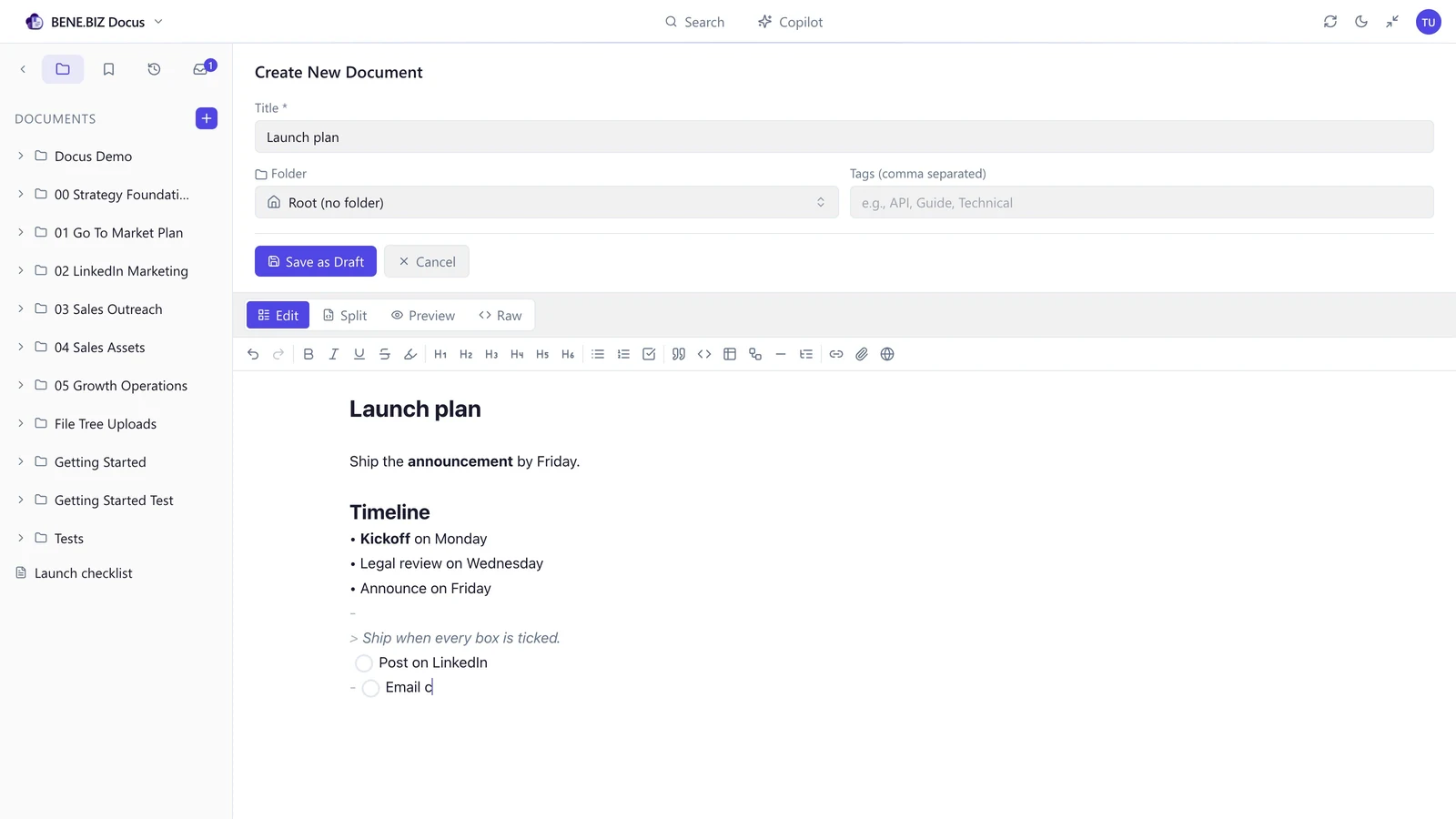
Standard, portable Markdown — rendered live as you type. Switch between Edit, Split, Preview and Raw to see exactly how a construct is written versus how it appears. The markdown-based editor keeps long documents fast to restructure.
  • Slash commands — insert tables, code, diagrams, embeds, tasks and meetings
  • Fenced code blocks with syntax highlighting for dozens of languages
  • Tables, task lists, callouts and nested lists with inline formatting
  • Headings build a live outline for navigating long pages
  • Portable by default — clean Markdown you can copy out at any time
Docus split mode with Markdown source on the left and the rendered document on the right

Split mode — source on the left, live render on the right.

Files & embeds

Your Office files, rendered right in the page

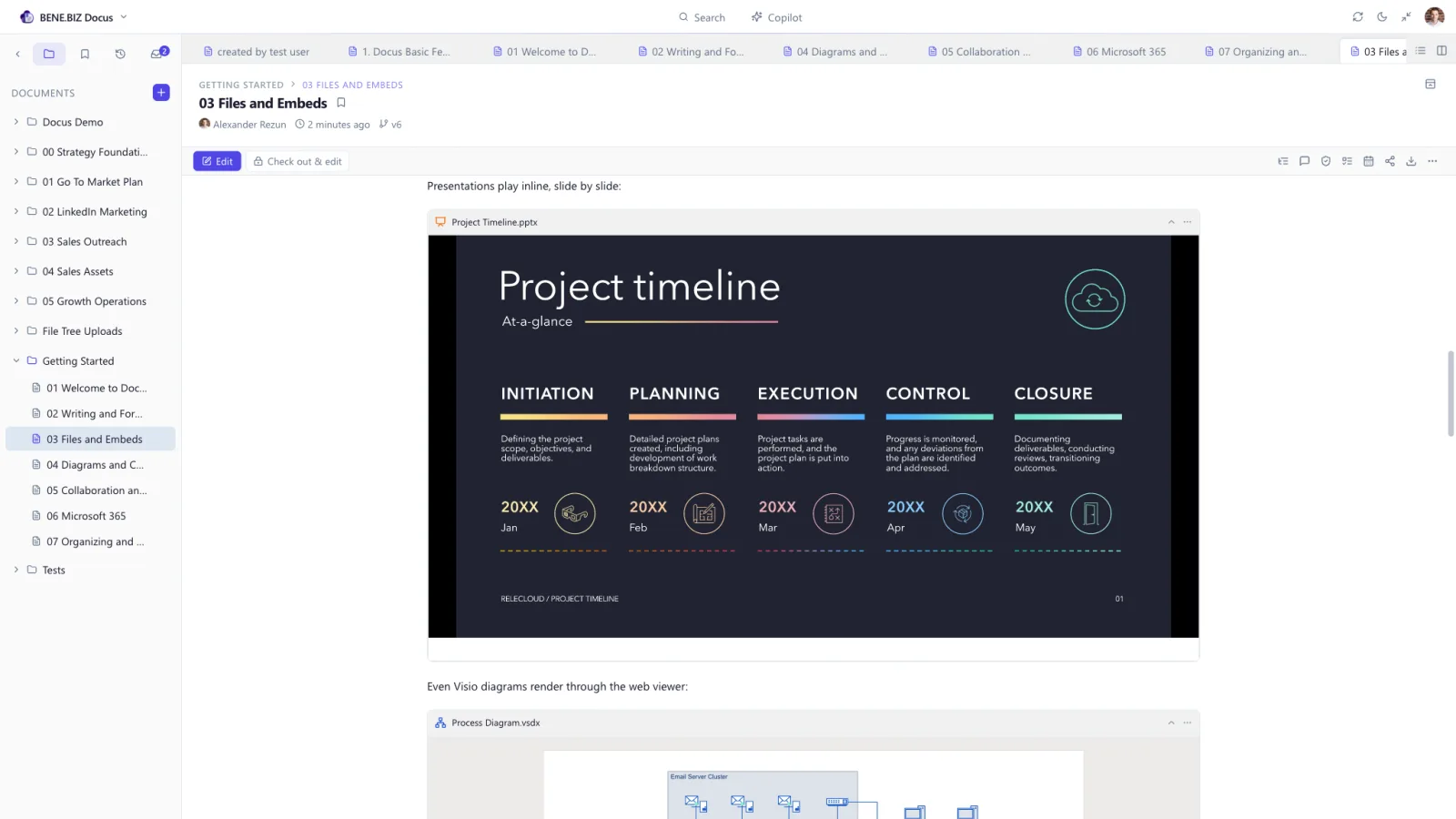
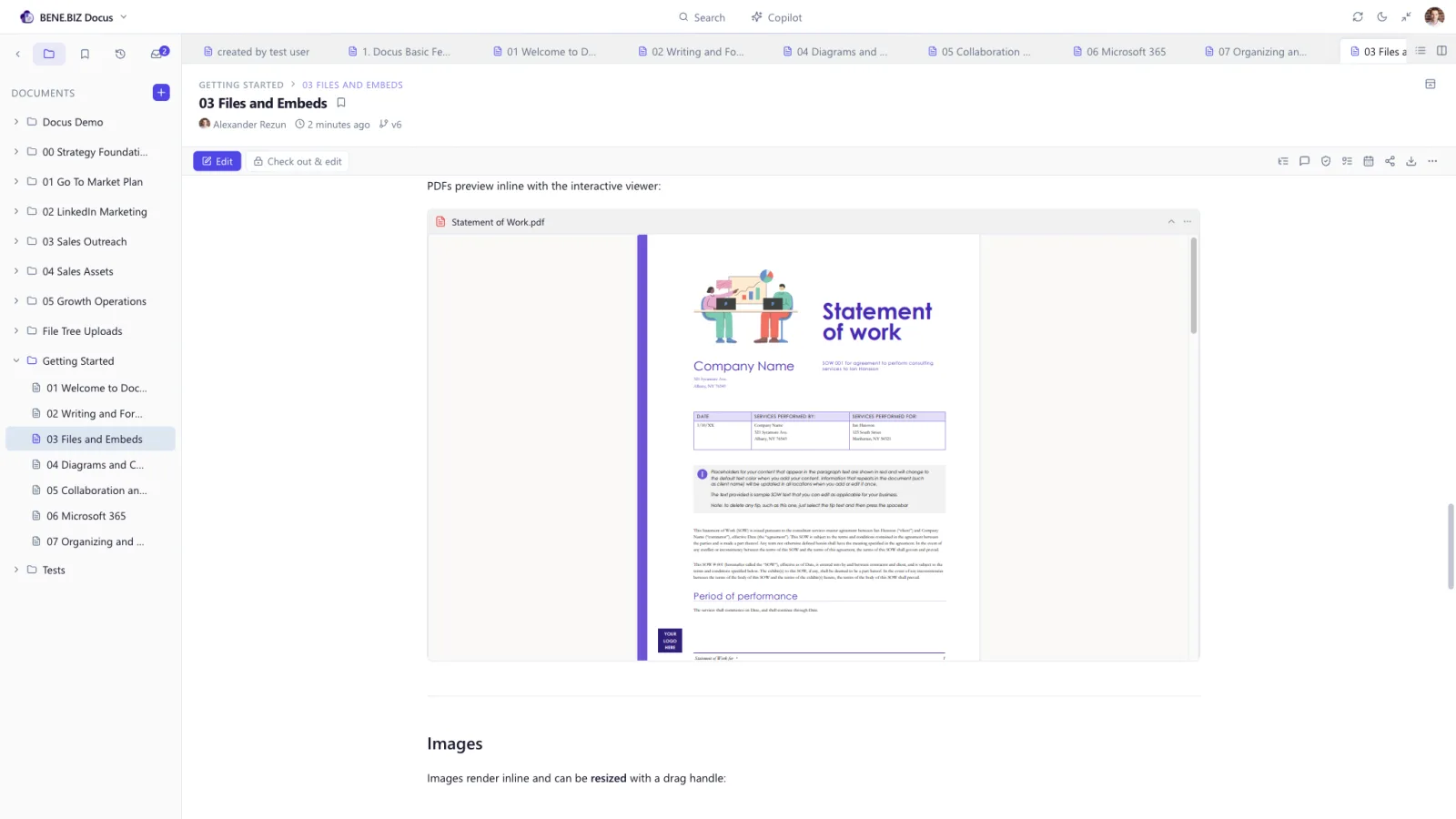
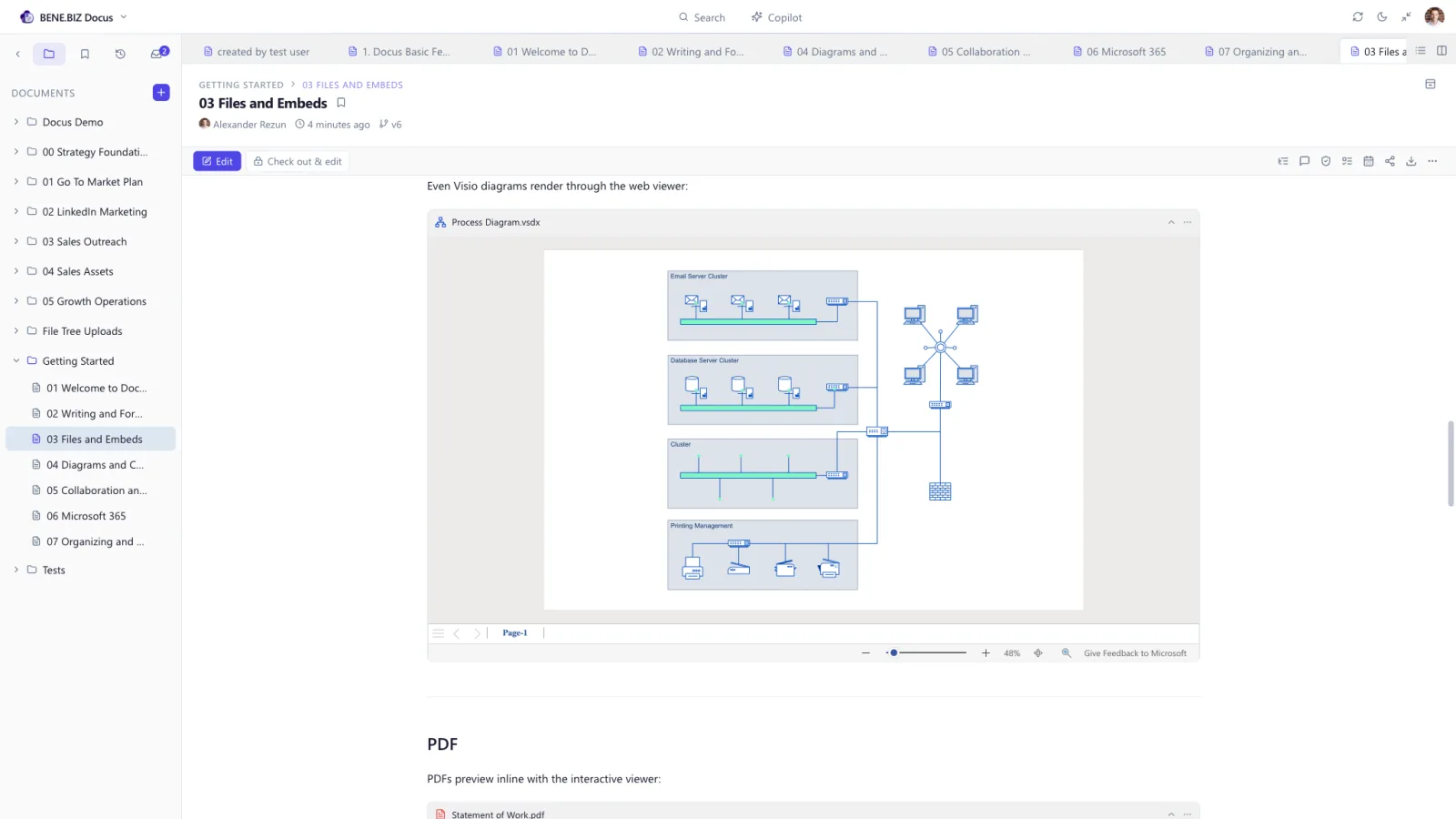
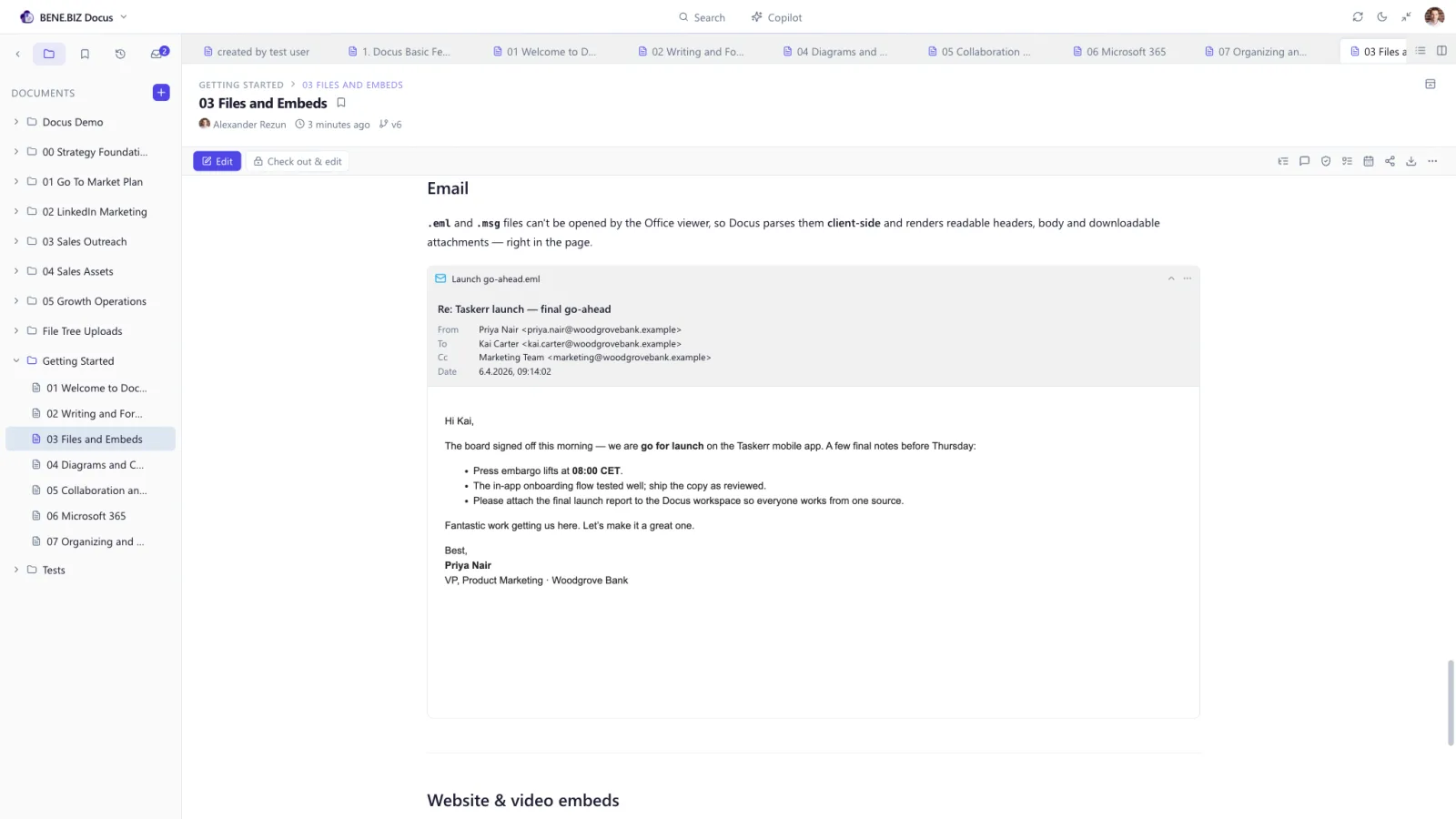
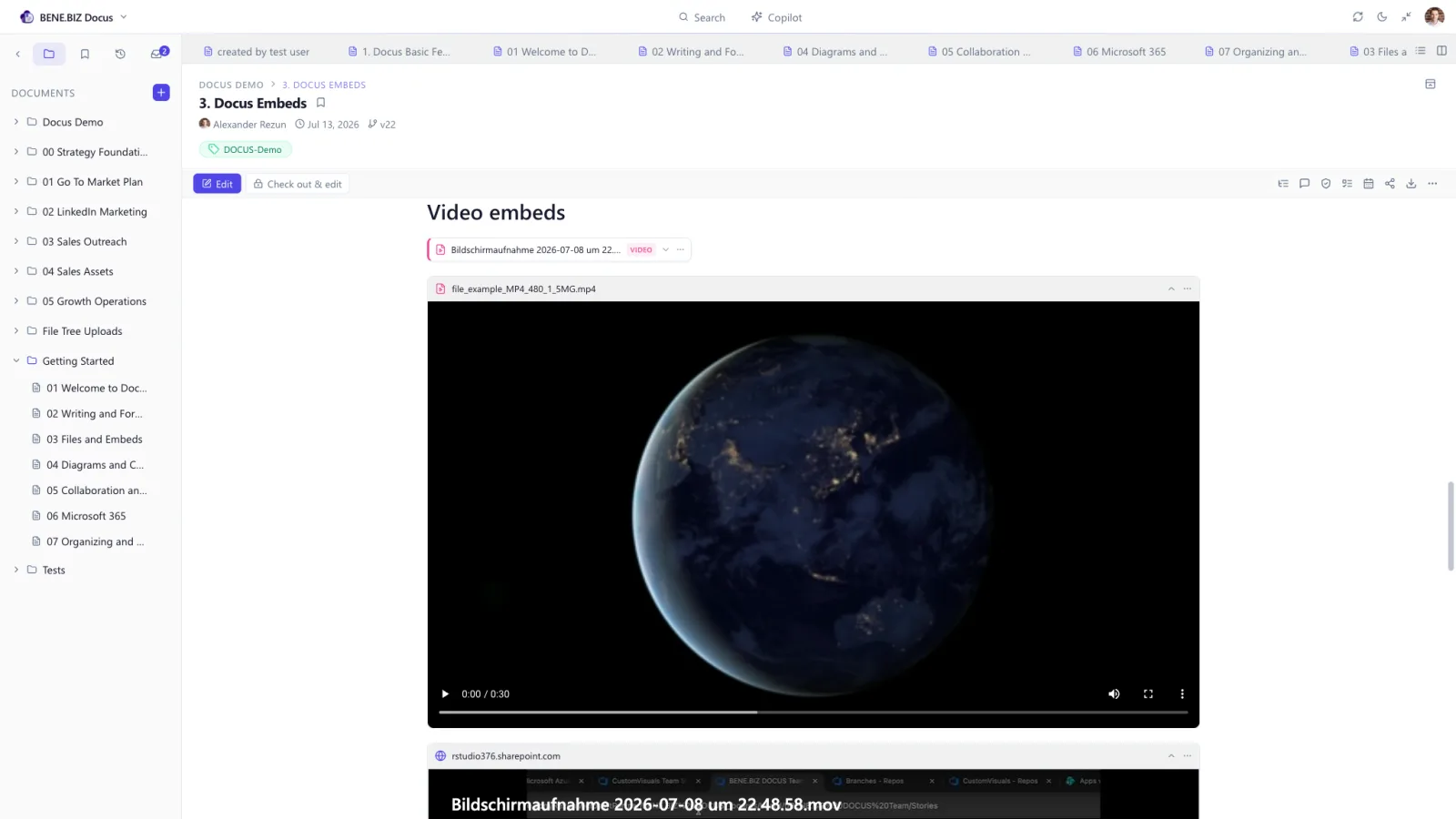
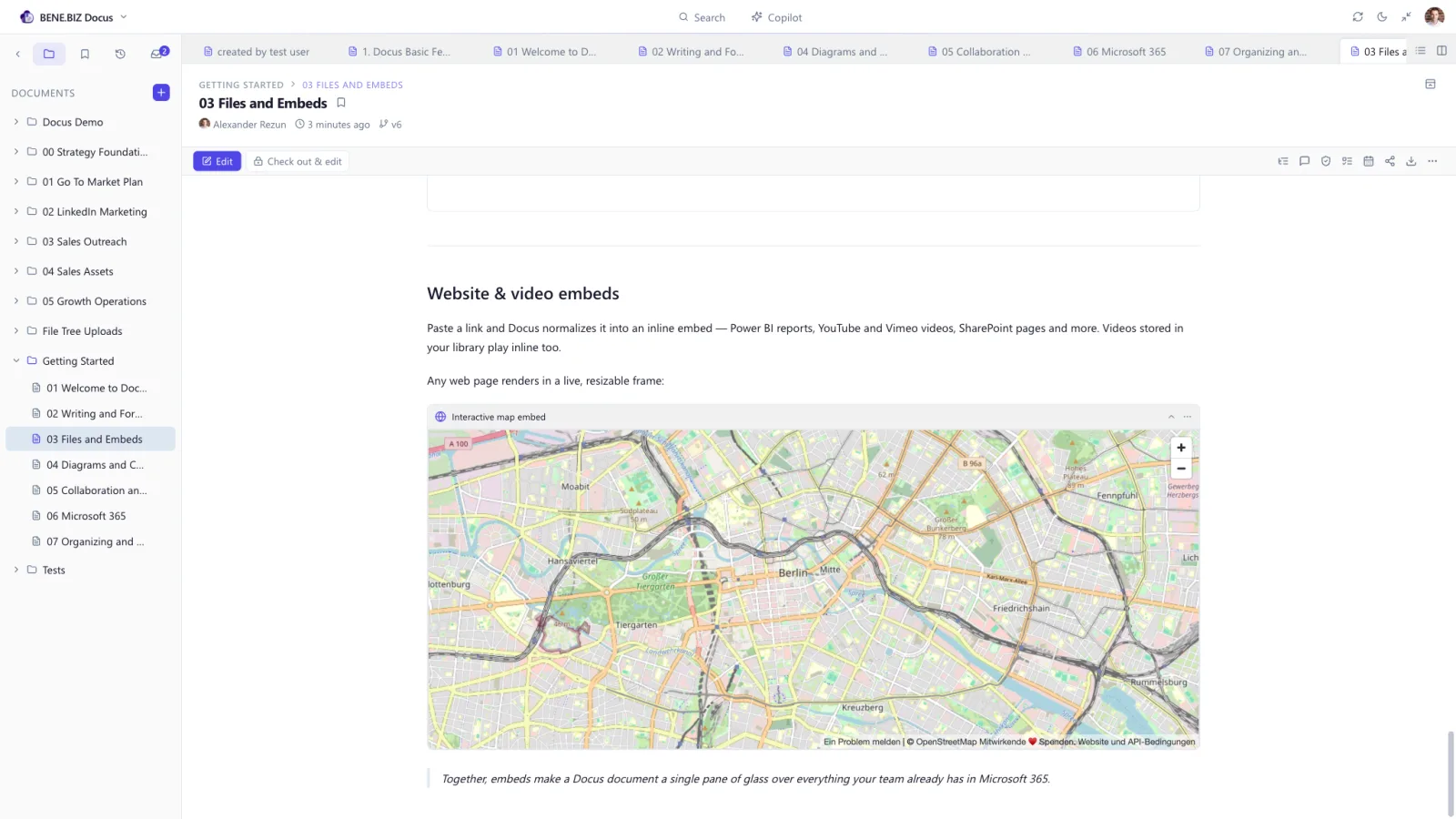
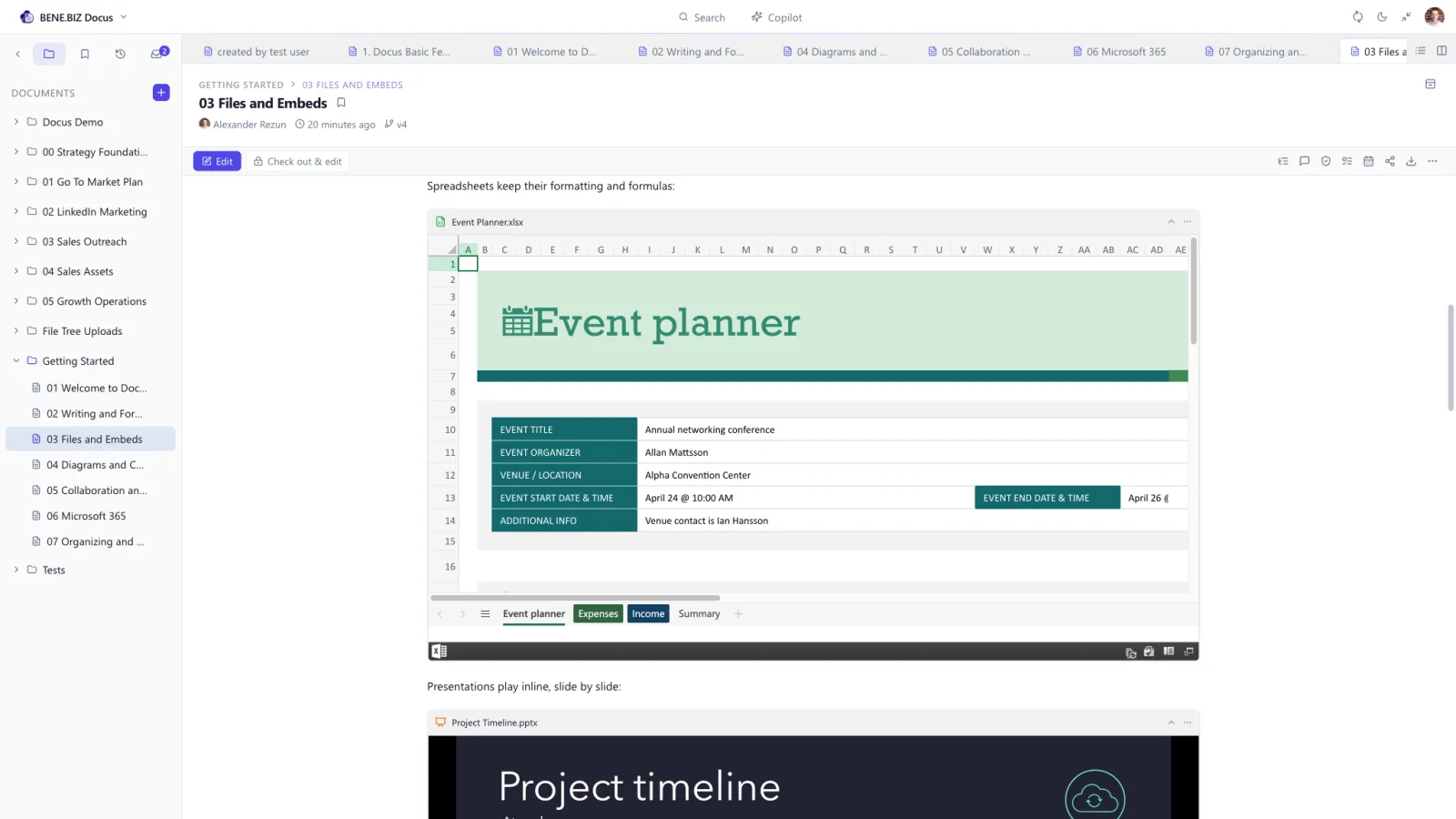
A workspace is only useful if it connects to the documents your team actually works in. Docus embeds Word, Excel, PowerPoint, Visio and PDF through the Microsoft Office web viewers, so a report, spreadsheet, deck or diagram renders live and interactive inside your document — no download, no new tab. Email, images, video and web pages embed just as easily.

Everything is uploaded to the same SharePoint library, so permissions, versioning and compliance apply automatically. There is no second copy floating around in another system.
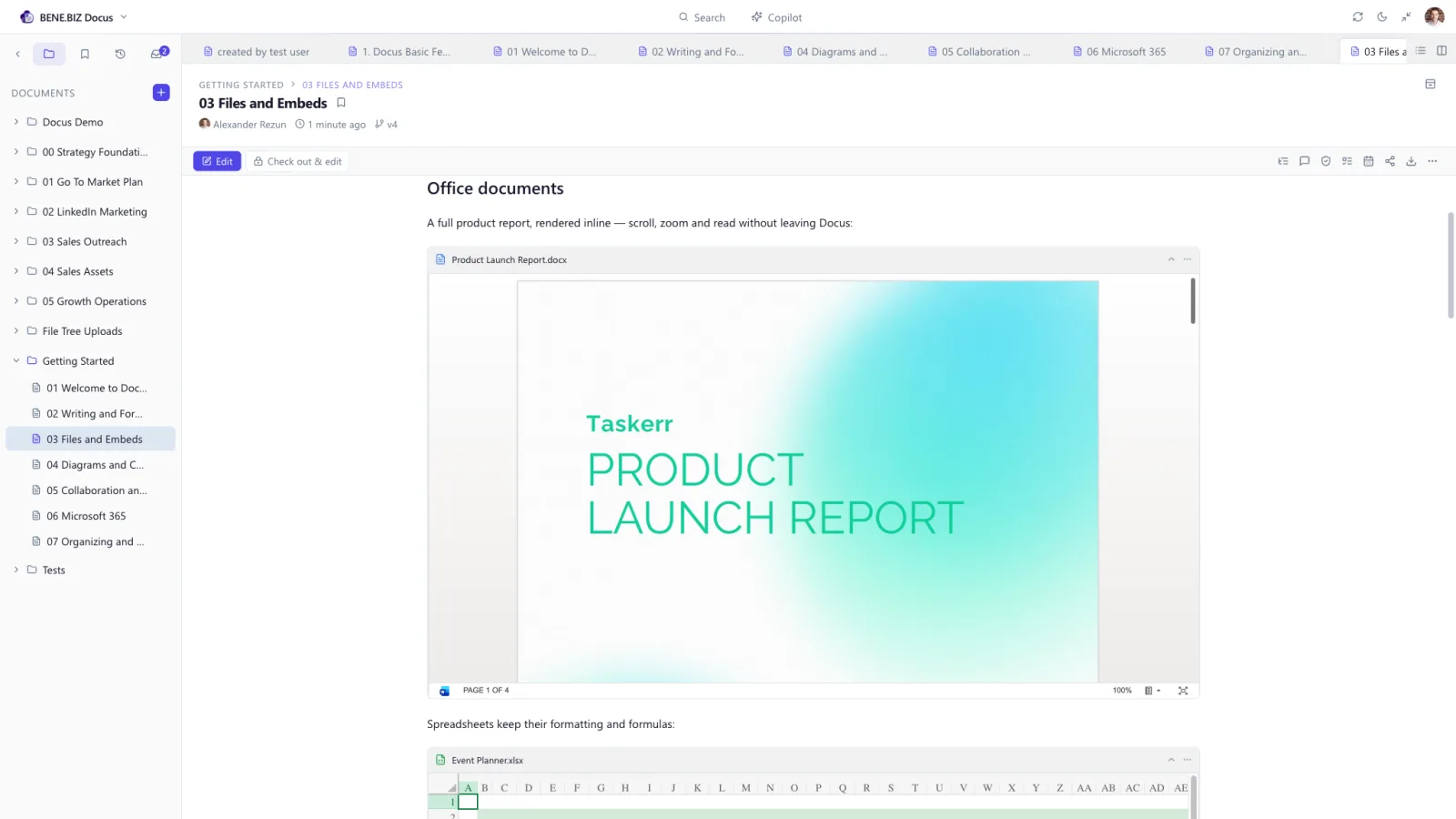
A Word document rendered inline in a Docus page through the Office Online viewer
A Word document rendered inline in Docus

A full Word report, scrollable and zoomable without leaving the page.
Diagrams

Diagrams as code, versioned like everything else

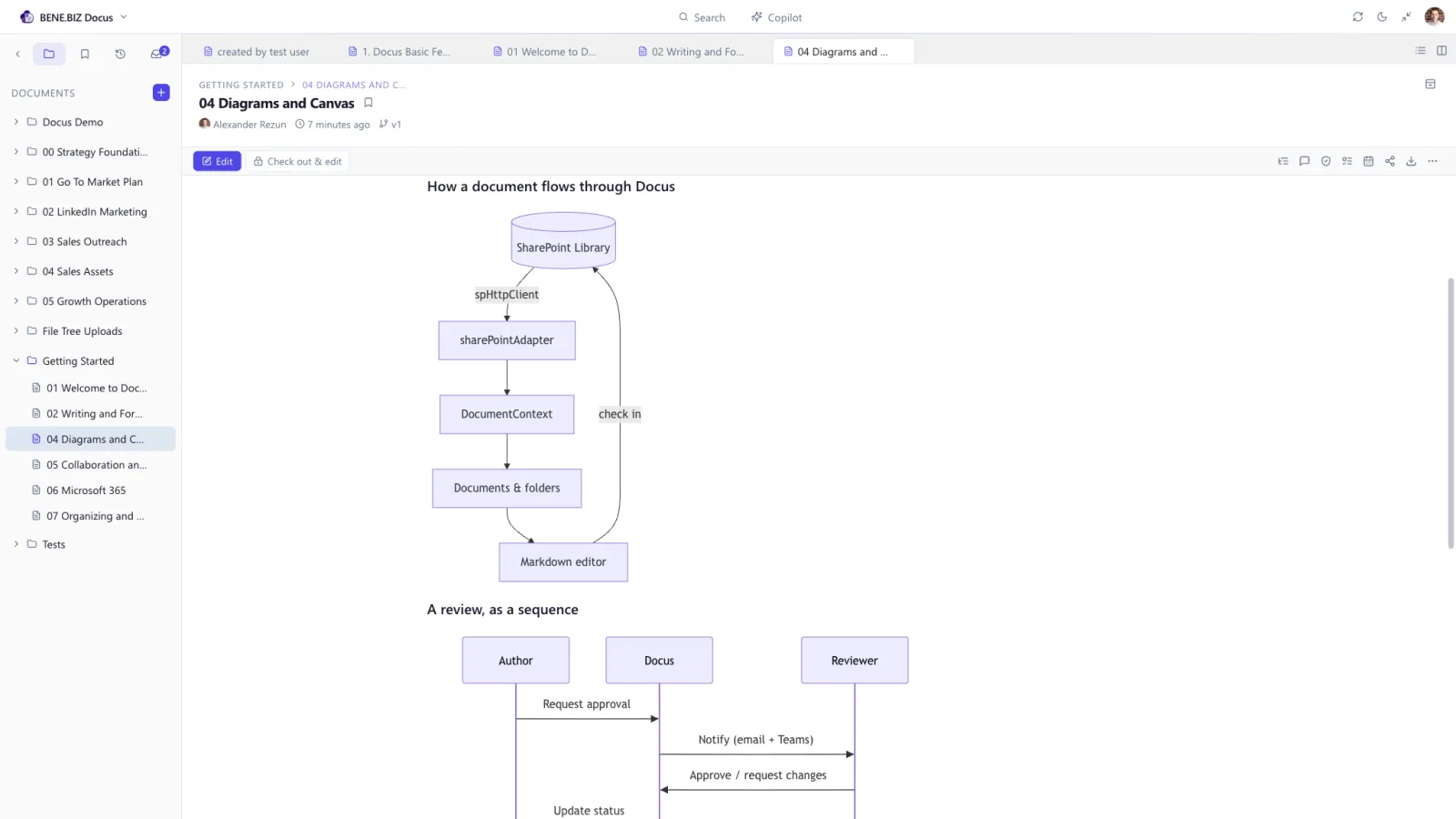
Write a diagram as a fenced mermaid block and Docus renders it live. Because it’s just text, a diagram versions, diffs and reviews like any other content — no more binary images nobody can edit.
  • Mermaid — flowcharts, sequence, Gantt, class, state and pie diagrams
  • Living documentation — diagrams evolve with the doc instead of going stale
  • Versioned — a diagram change shows up in history like any edit
  • Reviewable — a colleague can comment on the line that draws it
A live Mermaid flowchart and sequence diagram rendered in a Docus document

Mermaid flowcharts and sequence diagrams, rendered from plain text.

Canvas

A whiteboard that lives in your library

Not everything starts as a sentence. Docus includes a full Excalidraw canvas as its own document type — sketch an architecture, map a process, run a workshop — and it is saved as a real file in the same SharePoint library, with the same permissions and the same version history as your documents.

  • Draw anything — shapes, arrows, freehand, text, images, colours, in that friendly hand-drawn style
  • Autosaves as you draw — no save button, no check-out dance
  • Embed a canvas in a document — draw once, then show it inside the written page
  • Turn a Mermaid diagram into shapes when you need to break out of the grid
  • Export as an image for a slide deck or an email
  • Light and dark, with a canvas background you choose

The canvas engine is loaded only when you actually open one, so it never slows the app down for people who never draw.
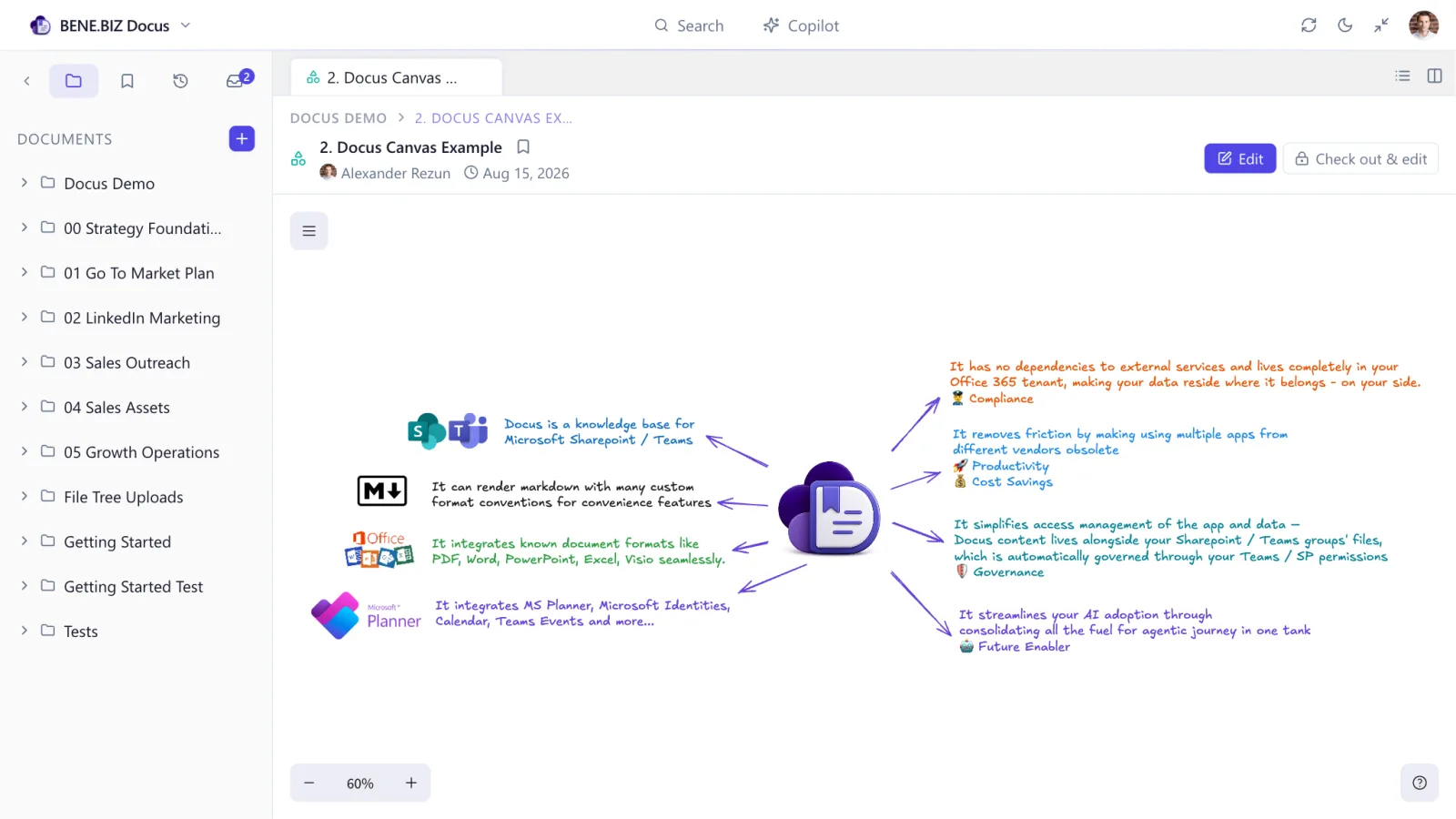
An Excalidraw canvas in Docus showing a hand-drawn value map with arrows, colour and embedded logos

A canvas is a document — stored, permissioned and versioned like the rest.

Collaboration

Comments that follow the sentence, not the line number

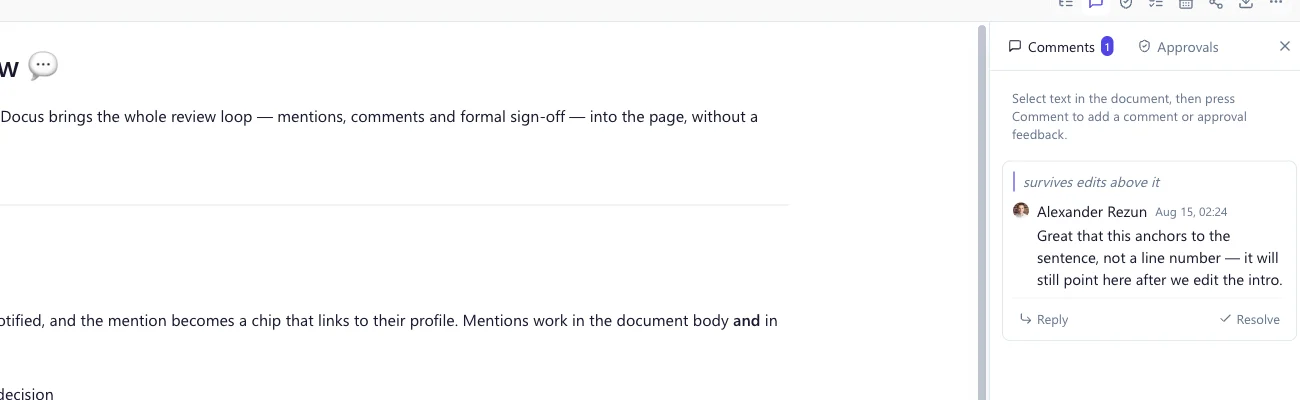
Select any passage and leave a comment. Docus anchors it to the text you quoted, so the thread survives edits above it and follows the sentence as the document changes. Threads live entirely outside the Markdown, keeping your document clean and portable.
  • @mentions resolving against Entra ID, in documents and comments alike
  • A personal inbox collecting everything you’ve been mentioned in
  • Threads organised into General, Open and Resolved
  • Detached threads are kept, never silently deleted, when quoted text disappears
A Docus comment anchored to the quoted sentence, shown beside the document text

The thread quotes the text it belongs to — so edits above it don’t break it.

Review & sign-off

Approvals that don’t reset on every edit

Native SharePoint content approval is binary and resets the moment anyone touches the file — which is why most teams give up on it. Docus is the system of record instead, with a workflow built for how reviews actually go.
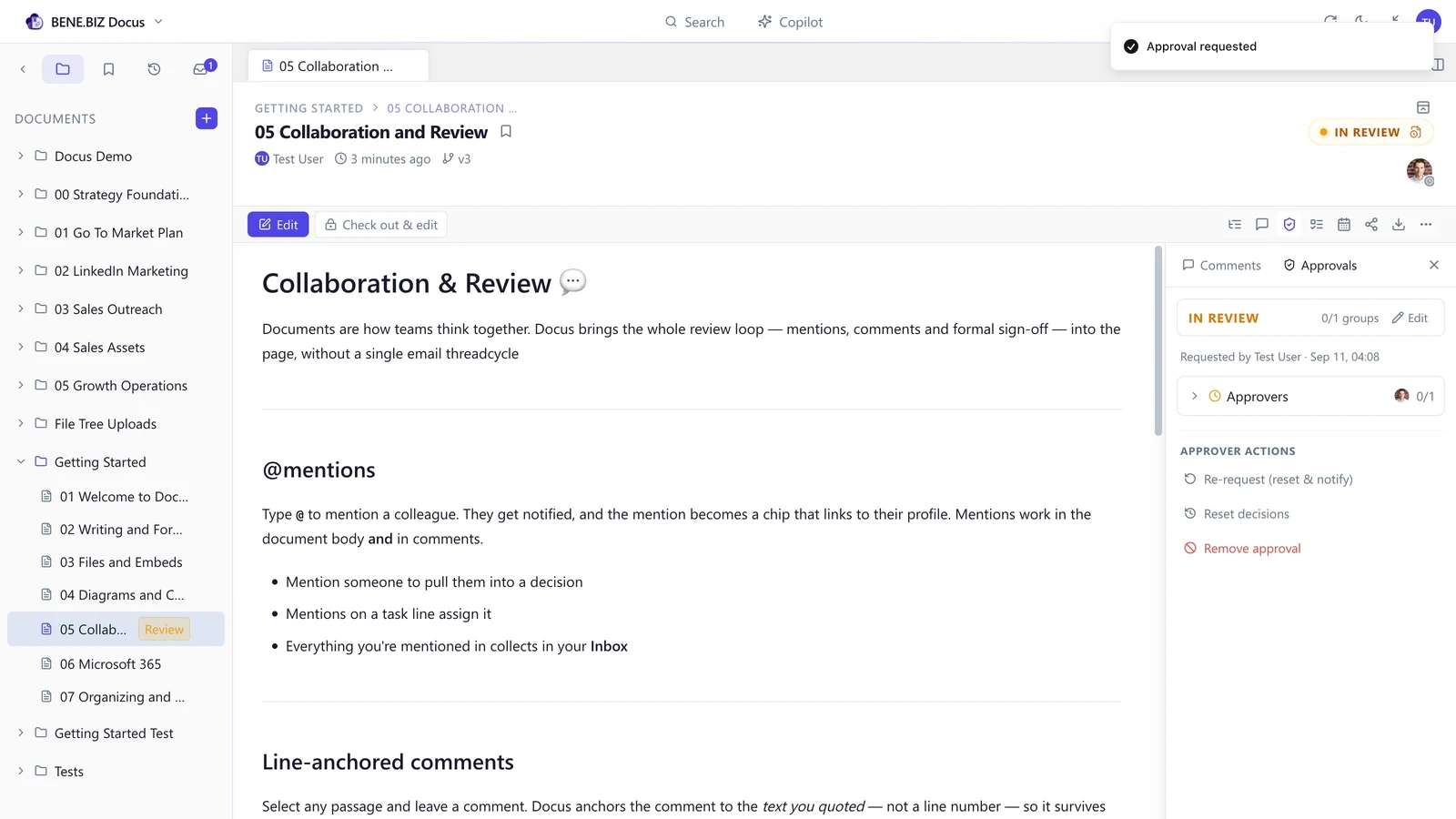
  • Individuals or groups — a group is satisfied when any one member approves
  • Status is derived, never hand-set: Draft → In review → Approved, or Changes requested
  • You decide what an edit means — reset decisions or keep them, with older ones marked “approved v3 · 2 revisions since”
  • Requesting changes posts a comment thread, so feedback lives with the conversation
  • Notified by email and Teams, with a deep link straight to the document
The Docus approval workflow showing reviewer groups, decisions and the derived document status
Microsoft 365, built in

Planner tasks and Outlook meetings, in the page

Docus doesn’t just sit inside Microsoft 365 — it speaks its language. The tools your organisation already runs on are wired directly into the editor.
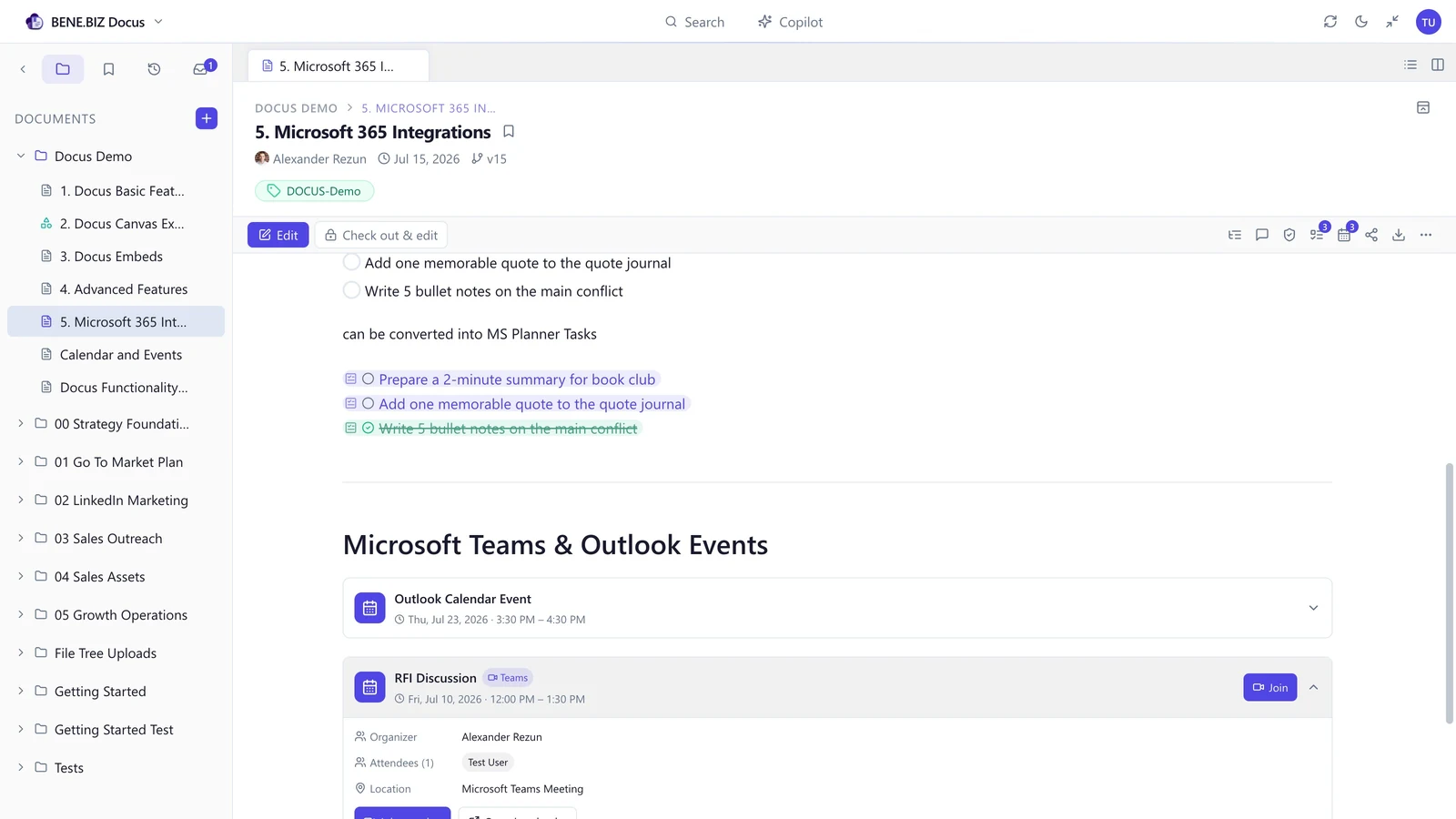
  • Microsoft Planner — promote a checklist into real Planner tasks that stay in sync
  • Outlook & Teams events — insert a meeting card, or schedule a new Teams meeting without leaving the page
  • Entra ID people — pickers, avatars and mentions resolve against your directory
  • Teams — add Docus as a tab; it opens the same workspace as the SharePoint pages
A Docus document with checklist items promoted to Microsoft Planner tasks and Outlook event cards

Checklist items promoted to Planner tasks; meetings as expandable event cards.

Docus Copilot Beta

Copilot that cites its sources

Docus reuses your organisation’s Microsoft 365 Copilot licence to reason over your own content — grounded, permission-trimmed and cited. Nothing is sent to a third-party model of ours; it runs on Microsoft’s Copilot APIs with the signed-in user’s own entitlement.

  • Ask the library — Copilot retrieves and cites the exact passages it used
  • /ai in the editor — draft, summarise or rewrite, preview, then insert
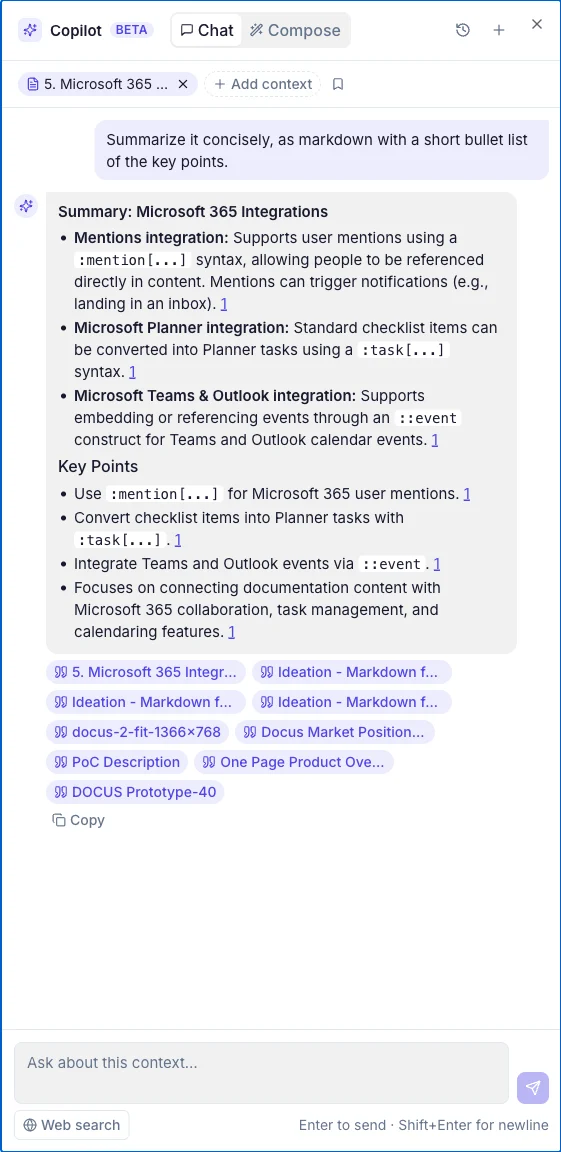
  • Selection rewrite — refine highlighted text with a diff before anything changes
  • You set the context — pick exactly which documents, folders and tags Copilot may see
  • Plain Markdown out — nothing proprietary, fully portable
The Docus Copilot panel showing a cited summary of a document with source chips

Every answer carries the sources it was grounded in.

Find anything, lose nothing

Search across the library, and a history you can trust

Folders group documents by team, project or topic — a real SharePoint folder structure underneath, so it stays visible and governable outside Docus. Tags cut across folders; click one to open search pre-filtered to it.

  • Full-text search over crawled file content via the Microsoft Graph Search API
  • Filters for file type, date and who last edited — plus #tag lookup
  • Native SharePoint versions — view, compare and restore any earlier revision
  • Check-out locks a document while you work so nobody overwrites you
  • Formats never break — older documents keep rendering; upgrades are opt-in and revertable
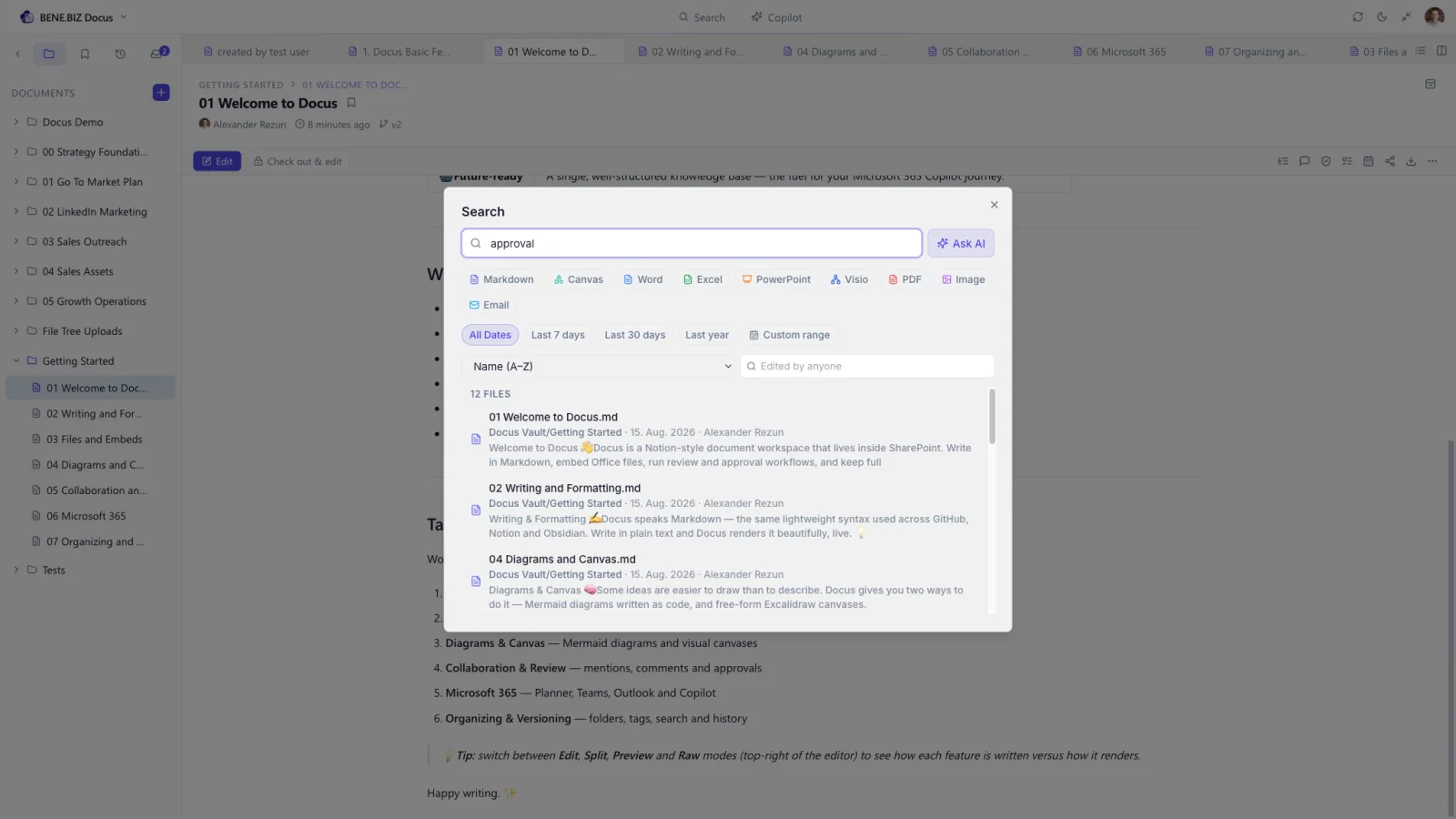
Docus cross-library search with file-type filters and content previews

Search with type filters, date, editor and content previews.

Administration

Ten languages, two themes, and switches you control

The interface ships fully translated in English, German, French, Spanish, Italian, Portuguese, Russian, Ukrainian, Simplified Chinese and Arabic — following the browser, or a per-user choice. Light and dark themes are built in.
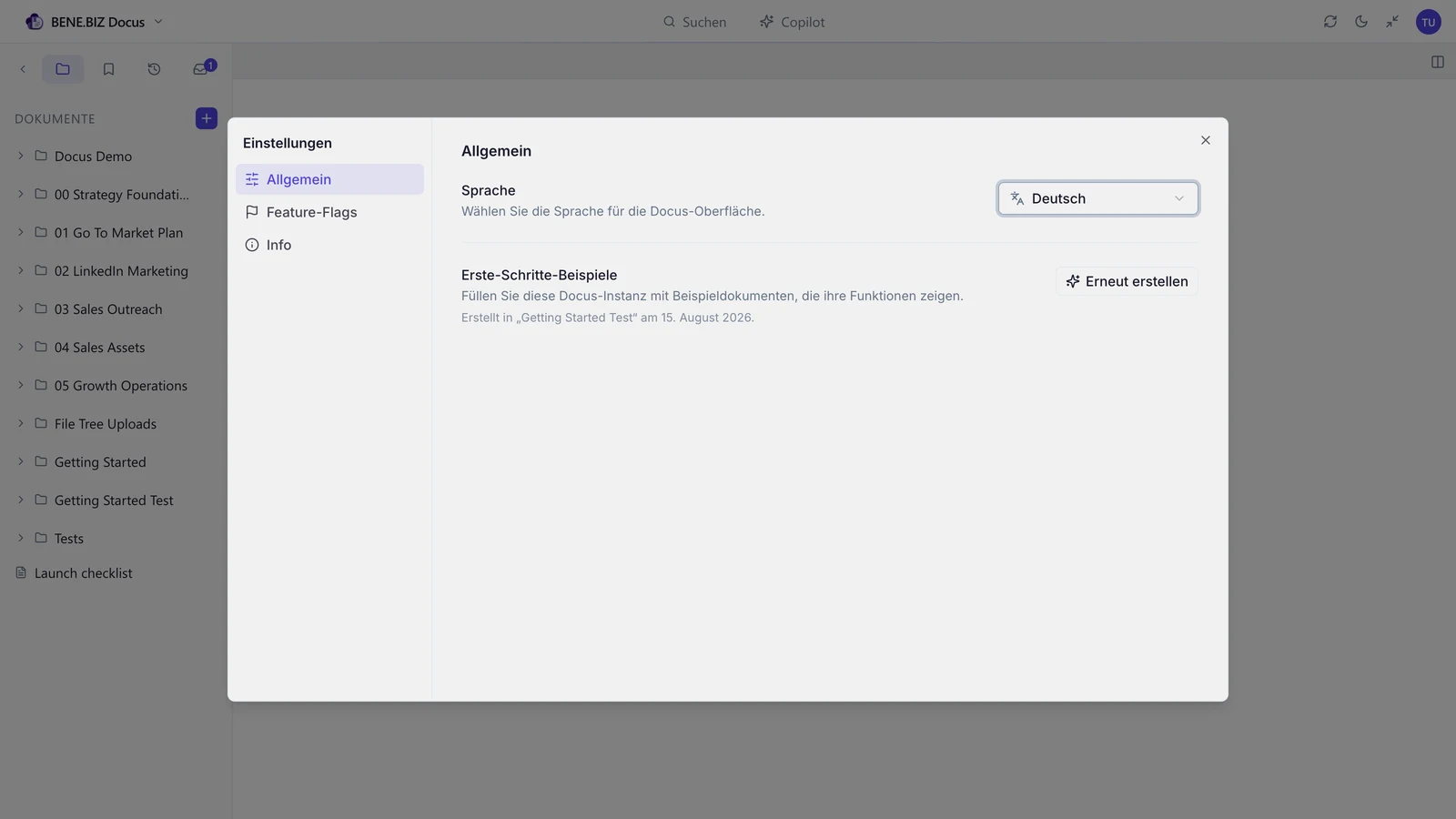
  • Feature flags — turn capabilities on per user, or set and lock a tenant-wide default
  • Getting Started content can be generated into any site, so nobody starts on an empty page
  • Lists provisioned automatically — no manual SharePoint setup before first use
Docus in dark mode

Dark theme, following the reader’s preference.

Deployment & governance

Access is your team list.
That’s the whole model.

A Docus workspace belongs to a Microsoft® 365 group — a SharePoint site and the Teams team behind it. So the question “who can see this documentation?” is one you have already answered.

Membership is permission

Add someone to the team and they can use its workspace. Remove them and they can’t. There is no Docus-side permission model to configure, review or reconcile at audit — nothing to drift out of sync with SharePoint.

One workspace, many doors

Put the Docus web part on as many SharePoint pages as you like and add a tab in Teams. They all open the same workspace — same documents, same comments, same approvals. A ready-made page template ships with the solution.

Unlimited workspaces

Licences are per user, never per site. Once you own Docus you can stand up a workspace in any team or site in your tenant at no extra cost — and a licensed person works across all of them, switching from the top bar.

Because a Teams team already has a SharePoint site behind it, Teams and SharePoint are the same workspace. Someone drafting in a Teams tab and a colleague reviewing on a SharePoint page are in the same document — no sync, no copies, no second source of truth.

Use cases

What teams put into Docus

Onboarding

A guided path for new joiners, so week one doesn’t consume a senior colleague’s whole calendar.

Policies & procedures

Approved, versioned and signed off by the right group — with a history your compliance team will accept.

Support & service desk

Solution articles the team can find in seconds while a customer is still on the line.

Product & engineering

Architecture decisions, runbooks and Mermaid diagrams that survive team changes instead of leaving with people.

Sales enablement

Current positioning, objection handling and pricing rules — one source, not eight versions in eight mailboxes.

Quality & certification

ISO-style documentation with group sign-off and evidence of approval, kept where auditors can see it.

How it works

From install to everyday habit

Installing the package is a matter of hours. The part that takes real effort is structure and content — which is why most organisations are productive within days, not quarters.

Install into your tenant

The Docus package goes into your App Catalog and an administrator grants consent. From then on you can stand up a Docus workspace in any SharePoint site or Teams team — as many as you like, at no extra cost.

Start with real content

Generate the built-in Getting Started set into the site with one click, and drag in the files your team already has. Nobody has to face an empty library.

Shape the structure

In a short workshop we define the folders, tags and conventions that match how your organisation actually thinks about its documentation.

Roll out and keep it alive

Add Docus as a channel tab, switch on the features your organisation wants, and let approvals and comments keep the content honest as it ages.

Security & compliance

Built to pass your IT review

Docus doesn’t introduce a new data processor for your documents. It runs inside the tenant your security team already governs.

  • Data residency: documents are files in your SharePoint sites, in your Microsoft 365 region
  • No external backend: Docus is a SharePoint-hosted app — there is no service of ours holding your content
  • Identity: Microsoft Entra ID sign-on, with your conditional access and MFA policies
  • Authorisation: permissions inherited from Microsoft 365 groups and SharePoint
  • Governance: your retention, DLP, eDiscovery and audit policies keep applying
  • Backup: covered by the SharePoint backup and versioning you already run
  • AI: Copilot features use Microsoft’s own Copilot APIs under the signed-in user’s licence — and are off until you enable them
  • Vendor: BENE.BIZ is based in Frankfurt am Main, Germany — an EU company under GDPR
  • Payments: we never collect payment data; commercial handling follows Microsoft’s platform rules
  • Exit: your documents remain readable Markdown files in SharePoint if you ever stop using Docus
Plans & pricing

One product. Every feature. Volume pricing.

Docus isn’t carved into feature tiers — no capability is held back for a higher plan. Every organisation gets the complete product, and the only thing that changes with size is what you pay per user.

Tier
Monthly Plan
Yearly Plan
1 - 50 users
$5.00/ user / month
$54.00/ user / year
51 - 250 users
$4.50/ user / month
$48.60/ user / year
251 - 1,000 users
$4.00/ user / month
$43.20/ user / year
1,001 - 5,000 users
$3.60/ user / month
$38.88/ user / year
5,001 - 10,000 users
$3.20/ user / month
$34.56/ user / year
More than 10,000 users
Enterprise agreementtailored quote

Every tier includes the complete product — no feature is held back for a higher plan

Yearly plans save 10% against paying monthly

Purchase directly through the Microsoft® Commercial Marketplace

Licence assignments are managed through the Microsoft® 365 Admin Center

Your tier follows your licensed user count — grow into the next band and everyone moves to the lower rate

All prices are excl. VAT. The application of VAT follows the Microsoft® Commercial Marketplace rules and regulations. Requires an active Microsoft® 365 subscription with SharePoint Online.

Included at every tier

The whole product, from the first seat

  • Block Markdown editor — Edit, Split, Preview and Raw
  • Inline Word, Excel, PowerPoint, Visio, PDF and email embeds
  • Mermaid diagrams and the Excalidraw canvas
  • Line-anchored comments and @mentions
  • Group approval workflows with derived status
  • Microsoft Planner tasks and calendar events
  • Docus Copilot (with your own Microsoft 365 Copilot licences)
  • Cross-library search, tags and bookmarks
  • Version history, check-out and restore
  • Unlimited workspaces — deploy to any SharePoint site or Teams team
  • Ten interface languages, light and dark themes
  • Tenant-wide feature governance and locking
Beyond 10,000 users

Enterprise agreement

Above 10,000 users the commercial and operational needs stop being standard, so we work out an agreement that fits — including how you want to be billed and what you need from us during rollout.

Request an enterprise quote
What an enterprise agreement adds
  • Dedicated billing arrangement
  • Priority support
  • Onboarding and migration support
  • Custom integrations developed for you
  • Compliance documentation and security review support
Available soon on Microsoft® Marketplace
Docus FAQ

Questions we get asked first

Yes. Docus is built on SharePoint Online and requires an active Microsoft® 365 subscription that includes it. That is deliberate: SharePoint stays the system of record, so your content, permissions and compliance controls remain exactly where your IT department expects them.
SharePoint gives you storage, permissions and versioning — Docus keeps all of that and adds the layer on top: a Markdown editor with live preview, inline Word, Excel, PowerPoint, Visio, PDF and email embeds, Mermaid diagrams and an Excalidraw canvas, comments anchored to quoted text, and an approval workflow that doesn’t reset every time somebody edits the file. You get those without giving up SharePoint as the underlying platform.
Confluence and Notion are capable editors, and for organisations that are comfortable keeping documentation in a vendor’s cloud they work well. The difference is where the content and the access model live. With Docus, pages are Markdown files in your own SharePoint library rather than in an external system; access comes from the Microsoft Entra ID groups you already manage, so there is no second directory to keep in sync and no shadow access model to reconcile during an audit; and adopting it does not mean a new vendor contract, DPA or security review, because it is one app inside a tenant you have already approved. If you later stop using Docus, the Markdown files stay readable exactly where they are — there is no export-and-migrate project.
Plain Markdown (.md) files in an ordinary SharePoint document library, with attachments stored alongside them. Nothing is kept in a proprietary database — you can open, copy or move the files with any tool, and they stay readable whether or not Docus is installed.
No. Docus has no external backend — documents and attachments live in your own SharePoint sites, and metadata such as comments and approval decisions is stored in SharePoint lists on the same site. Your retention, DLP, eDiscovery and audit policies continue to apply unchanged.
Docus uses your existing Microsoft Entra ID groups and SharePoint permissions. Users see exactly what they are entitled to see — including in search results, which are trimmed by SharePoint itself. There is no second user directory to maintain and no shadow access model to reconcile during an audit.
Docus Copilot calls Microsoft’s own Copilot APIs using the signed-in user’s Microsoft 365 Copilot licence, so answers are permission-trimmed by Microsoft and no content is sent to any model of ours. It needs that licence per user plus administrator consent for the required Graph scopes, and the feature is switched off until you enable it. It is currently in beta and built on Microsoft’s beta Copilot endpoints.
Yes. You can upload or drag files straight into the library — Office documents, PDFs and images become embeddable files, and Markdown files become editable Docus documents. For a larger move we help you plan the structure and decide what to keep, merge or retire as part of the rollout.
Your content stays in your tenant. Because Docus stores documents as Markdown files in a normal SharePoint library, you keep readable, exportable material rather than a proprietary database you can no longer open.
Get started

See Docus running in a real tenant

Docus is completing its final round of tenant testing before listing on the Microsoft® Commercial Marketplace. In the meantime we’ll walk you through it live — thirty minutes, your questions, no slide deck.

Available soon on Microsoft® Marketplace